Describe the email.
Get a finished one back.
Tell TinyEmail what you need and it builds the whole template, generates the images, and hands you a real canvas to refine. No design tools to learn. No stock-photo hunt. It is part of TinyCommand, so the same email fits right into your forms, tables, and workflows.
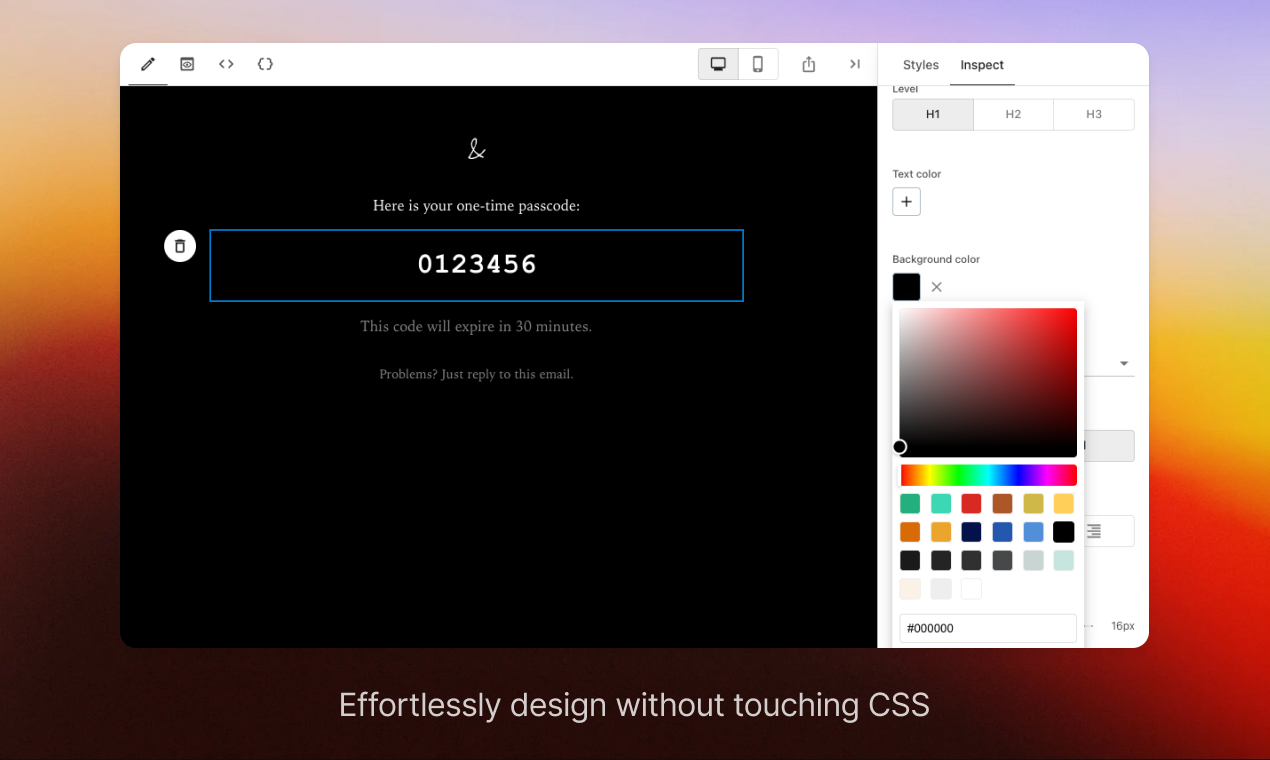
Write a brief, watch it become an email.
The AI sits at the bottom of the canvas. Describe the email you need and it thinks it through first, then drops a complete, ready-to-edit template onto the canvas. Not a copy suggestion. The whole thing.
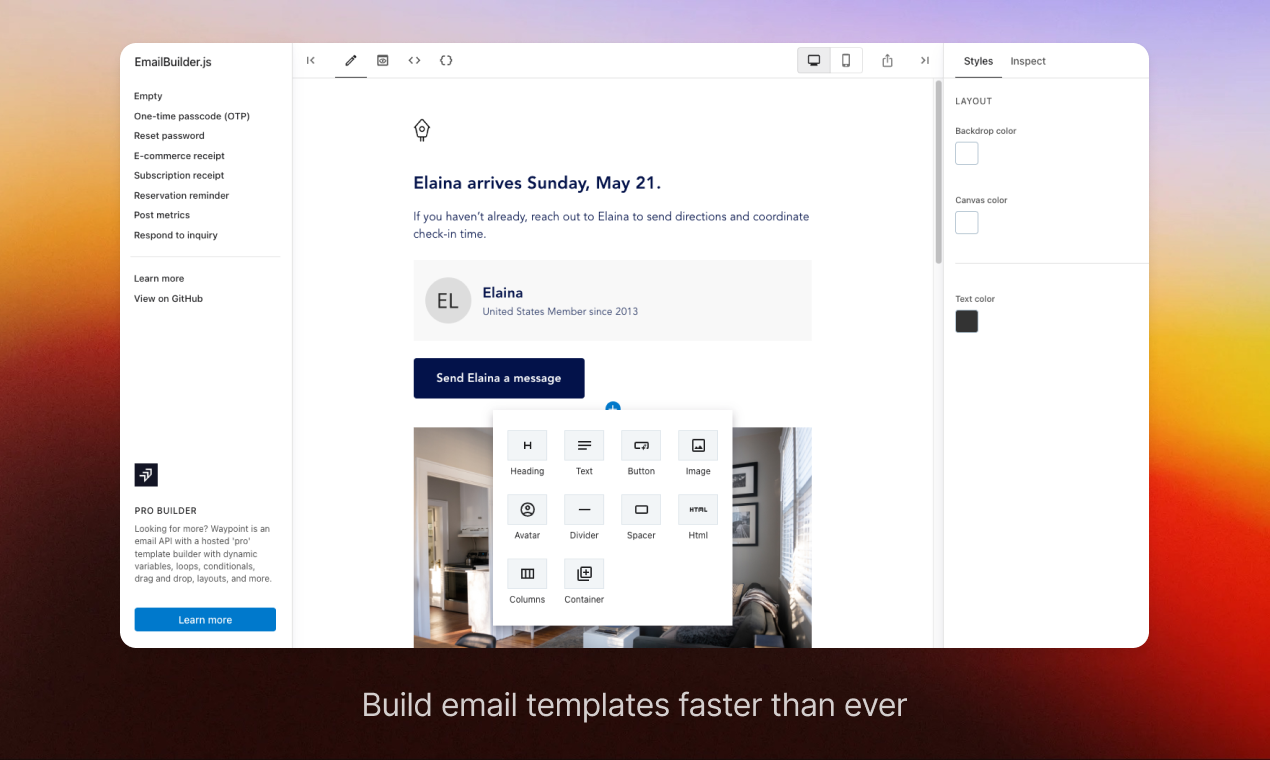
A welcome note, an invoice, a launch announcement, a weekly report. Just say it in plain words.
The AI works out the layout first, then lays the full email onto the canvas for you.
Every block is real and editable. Reorder it, restyle it, and keep what works.
Reset the chat and brief a different email. The AI keeps track of the email it is working on.
Eleven building blocks, full visual control.
Every email is built from simple blocks. Drag them in, style each one with a real color picker and heading controls, and pick from nine font families. No theme to fight and nothing to code, just point and click.
Make the artwork, and drop in personal details, right here.
The two steps that usually send you off to another tool happen right inside the editor. Click an image block and describe the picture you want, and personalize any text by inserting a merge field that shows up as a clear pill on the canvas.
Describe the image, pick square, landscape or portrait, and it creates real artwork and places it right in the block.
When the AI builds an email it writes a short description into each image, so the design arrives with art direction already in place.
Drop in things like first name, last name, email, company or an unsubscribe link. Each one shows up as a colored pill so you always see what is personalized.
Image generation draws from your workspace credit balance, so there is nothing separate to reconcile.
Image description, written for you: “Warm flat-lay of a coffee cup beside an open laptop in soft morning light, brand colors, inviting.”
One editor for every kind of email.
Delivery notifications, subscription receipts, saved-search reports, milestone rewards, download-ready alerts. One canvas covers the whole range, whether you run an online store, a software product or a marketplace.
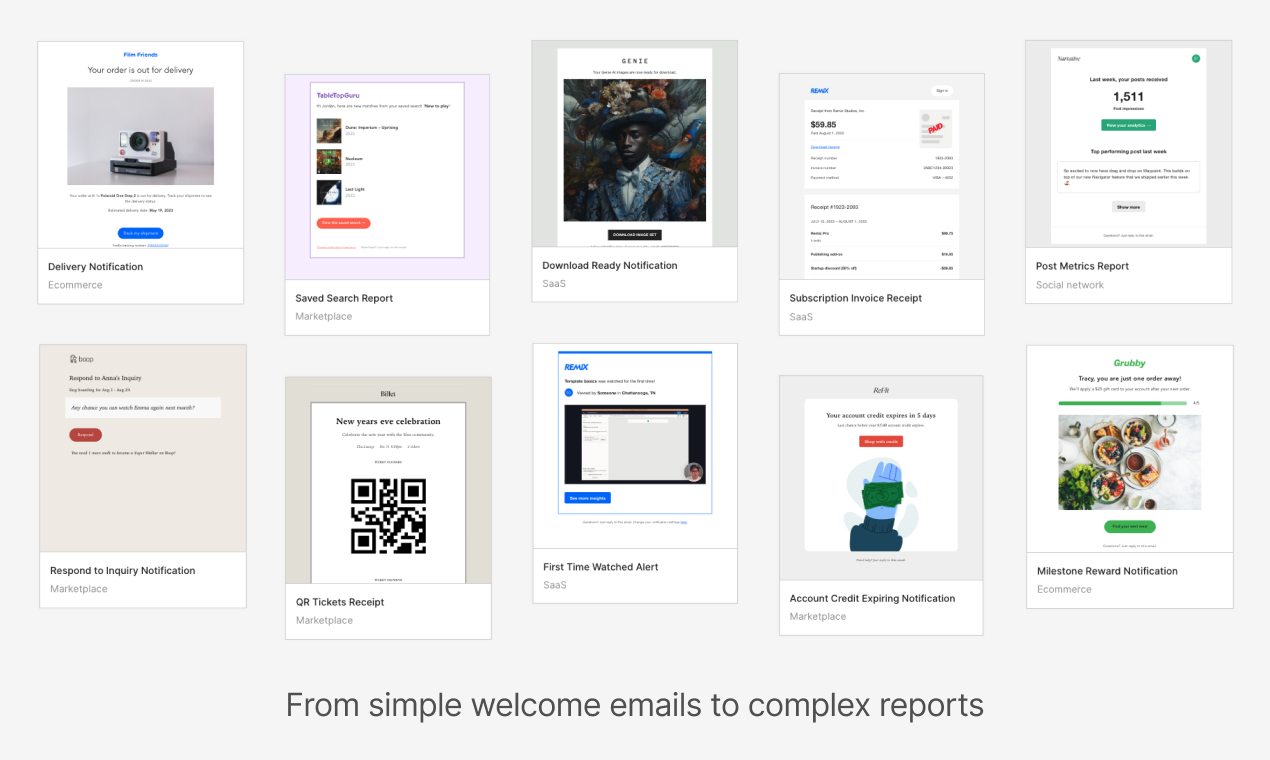
Receipts, invoices, delivery and download-ready email templates that have to look exactly right.
Welcome notes, milestone rewards, account and credit-expiring alerts that keep people moving.
Weekly digests and saved-search summaries that turn your data into a clean, easy read.
The same email, desktop and mobile.
Switch between desktop and mobile while you design, and preview exactly how someone will see it. TinyEmail holds up cleanly across email apps and devices, so a receipt reads the same on a phone as it does on a laptop.
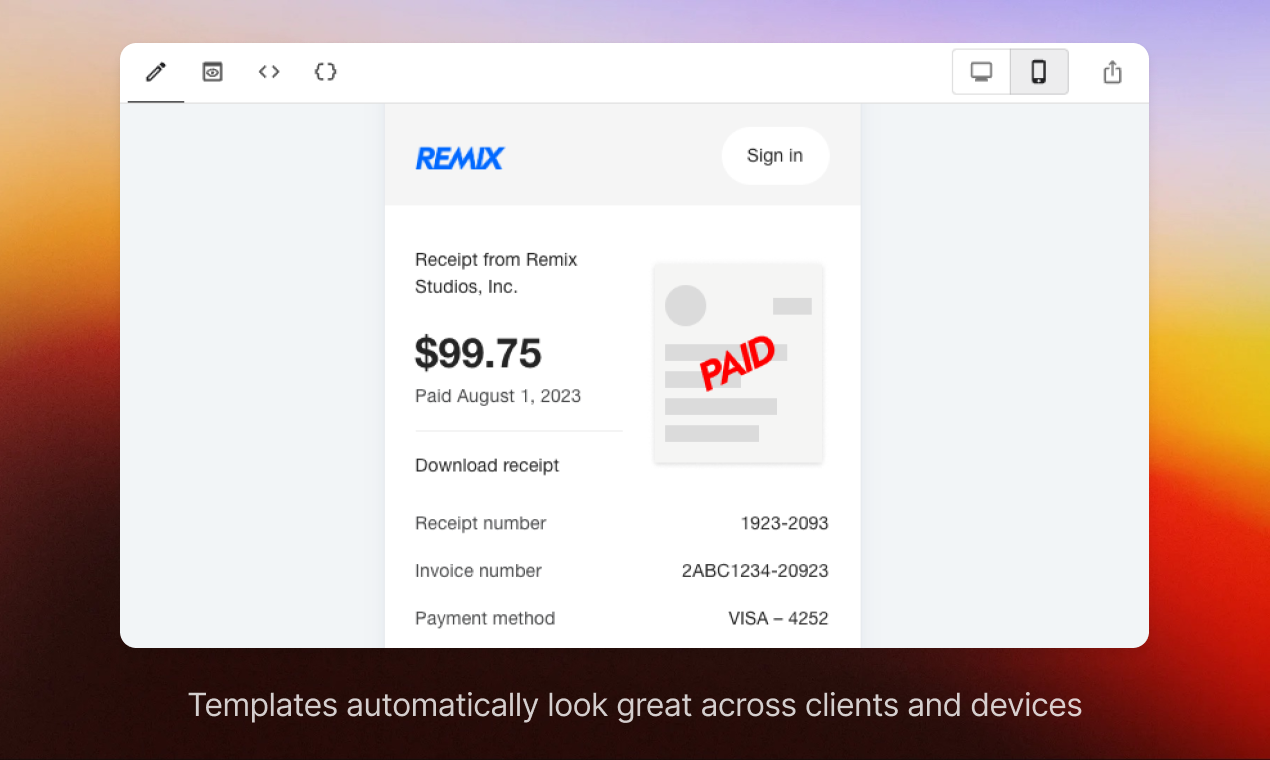
Switch between the two previews without ever leaving the canvas.
Your layout holds up across email apps, so what you design is what they read.
See the finished email at both sizes before you export it or pass it on.
Your design stays yours, clean HTML out.
Every email is a real file you can take with you, not a locked design stuck inside one tool. Save the structure to back it up and move it, or export clean email HTML to send from anywhere. Nothing about your design is trapped.
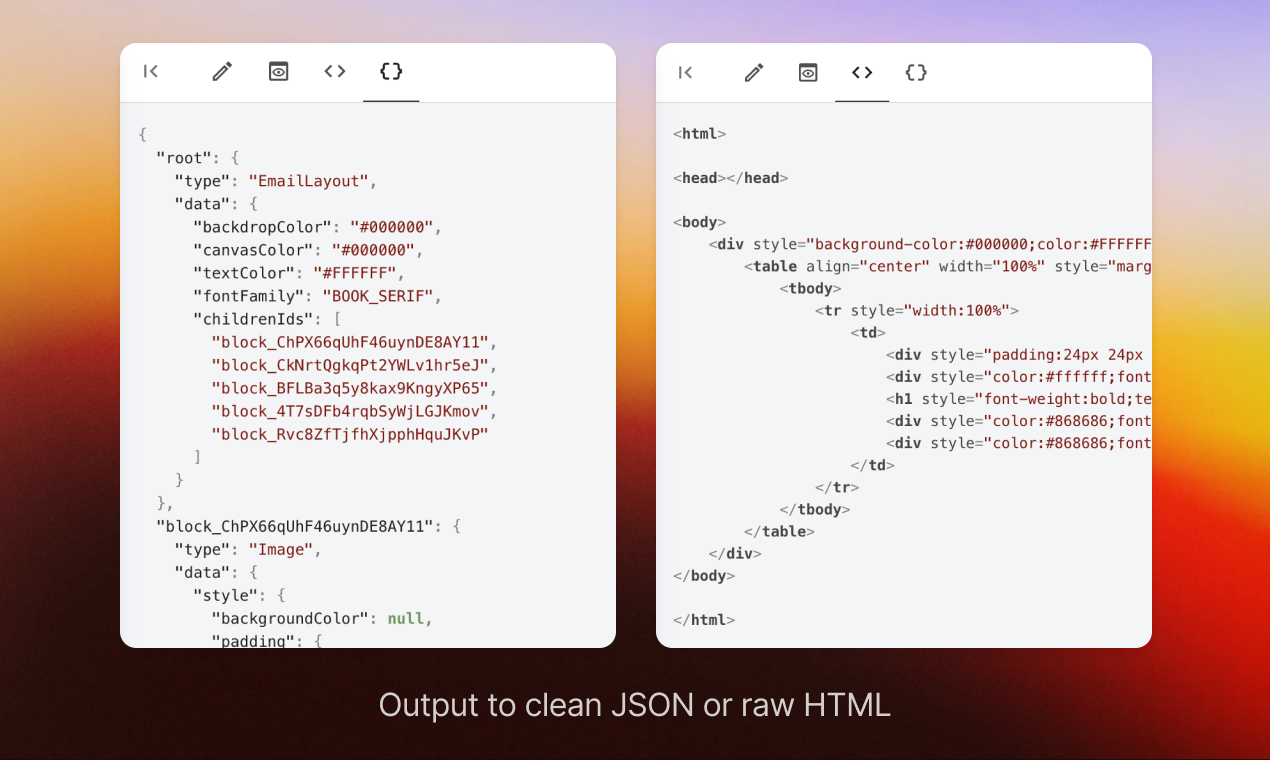
Keep a clean, structured copy of every email. Back it up, store it, move it.
Export tidy HTML you can send from any email tool you already use.
Your work is portable, so it is never stuck inside one editor.
Put the editor inside your own app.
You can drop the TinyEmail editor right into your own product. Your app can open a template, fill in personal details, set the look, and get the finished email back. It is how the rest of TinyCommand brings email in, and your app can do the same.
Design it here. TinyCampaigns sends it.
TinyEmails is the designer. It has no recipient list and sends nothing itself. When the email is ready, pick it as the template in TinyCampaigns, point the campaign at a TinyTables table of your own rows, and send, from your own verified domain if you add one. Suppression, unsubscribes and the send report all live with the campaign.
An email tool that builds the email for you.
Plenty of tools render a beautiful email. The difference is how much of the work happens before you start dragging blocks, and what happens to the email once it is done.
| TinyEmail | Mailchimp | Klaviyo | SendGrid | Beefree | |
|---|---|---|---|---|---|
| Build the whole template from a sentence | ✓ | copy assist | copy assist | No | copy assist |
| Generate the images inside the block | ✓ | separate tool | via Remix | No | AI generator |
| Take your design with you as clean HTML | ✓ | HTML | HTML | HTML | ✓ |
| Put the editor inside your own app | ✓ | No | No | No | export |
| Sends the email to a list | via TinyCampaigns | ✓ | ✓ | ✓ | design only |
| Polished drag-drop block editor | ✓ | ✓ | ✓ | basic | ✓ |
If you want a big template gallery and a mature audience manager, Mailchimp is the established choice. If your store runs on automated lifecycle emails, Klaviyo is excellent. If you send a huge volume of receipts and alerts, SendGrid is the workhorse. If you only ever export a design, Beefree is a clean editor. TinyEmail is for the team that wants the email written, designed and illustrated for them, then handed to TinyCampaigns to send to a table they already keep in TinyTables.
Good to know.
Does the AI really build the whole email? +
Yes. You describe what you need and the AI returns a complete email, the layout, blocks, headings, buttons and words, ready to edit on the canvas. It is not a subject-line suggestion bolted onto a blank builder.
Can it make the images too? +
Yes. Click an image block, describe the picture, pick square, landscape or portrait, and it creates the artwork and places it right in the email. Image generation draws from your workspace credit balance.
Am I locked into one tool? +
No. You can save a clean copy of every email to back it up and move it, and export tidy email HTML you can send from anywhere. Your design is portable, not stuck inside one editor.
Can I put the editor in my own app? +
Yes. You can drop the editor right into your own product. Your app can open an email, fill in personal details, set the look, and get the finished email back. It is the same way the rest of TinyCommand brings email in.
Does TinyEmails send the email? +
No. TinyEmails designs the email and gives you the finished template or clean HTML. Sending is TinyCampaigns: choose your TinyEmails template, point it at a TinyTables table and the column that records consent, and send. The list is fixed when you confirm the send, and opens, clicks, bounces and unsubscribes are reported on the campaign.
Is there a free plan? +
Yes. Start designing for free and brief your first email in under a minute. The AI builder, the canvas, image generation and export are all there to use.
Design one email and send it to your whole list.
No wiring to build between tools. Each step picks up where the last one left off.
 01TinyTables
Start with the list you keep, gaps filled in
enriched 02TinyEmails
AI builds the email, you refine it
designed 03TinyCampaigns
Sends it to the table, filled in for each person
opens and clicks reported
All it takes is a TinyCommand.
11 products. One system. One place everything lands.
Describe it once. Edit it on a real canvas.
The template, the images, the clean HTML. Free to start.